Best AI Chatbots in 2026: My Real Experience After Using ChatGPT, Claude, Gemini, Perplexity, Grok and Copilot
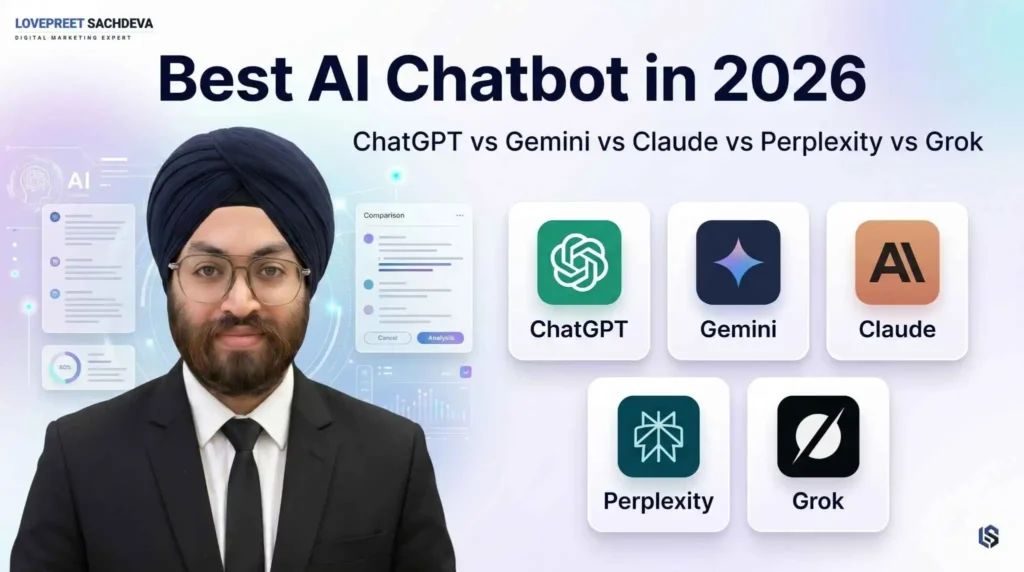
AI tools are everywhere now.
I started using ChatGPT in 2022. At that time, AI was not as common as it is today. Most people were using ChatGPT out of curiosity. Some were asking random questions. Some were testing basic content writing. Some were just trying to understand whether AI could really help in daily work or not.
For me, it started as a simple experiment.
I used ChatGPT for content ideas, blog outlines, SEO titles, meta descriptions and rewriting. Slowly, I started using it for serious work like SEO content planning, website copy, Google Ads ideas, coding fixes, landing page content, research, client communication and daily productivity.
After that, many new AI tools came into the market.
Claude became popular for long writing, coding and structured thinking. Gemini became stronger because of Google’s ecosystem. Perplexity became useful for research with sources. Grok came with X and real-time social conversations. Microsoft Copilot became useful for people working inside Word, Excel, PowerPoint, Outlook and Teams.
So, in 2026, the real question is not only:
Which AI chatbot is best?
The better question is:
Which AI chatbot is best for your actual work?
After using these tools in real SEO, content, research, coding and business work, my honest answer is simple:
There is no single AI chatbot that is best for everyone.
ChatGPT is still the best overall AI chatbot for most people. But Claude, Gemini, Perplexity, Grok and Microsoft Copilot are better in specific situations.
This article is not only based on market data. I will include useful data, but the main focus is my practical experience with these AI tools.
Which AI Chatbot Is Best in 2026?
| Category | Best AI Chatbot | Why It Is Best | Best For |
|---|---|---|---|
|
Best overall
Most balanced option for daily work
|
Best AI Chatbot ChatGPT |
Why it is best
ChatGPT is the most complete all-round option. It handles writing, coding, research, file analysis, image tasks, brainstorming and productivity work in one place. |
Best for
Use it for: SEO content, content planning, coding help, research support, business work and learning.
|
|
Best for Google users
Strong Google ecosystem integration
|
Best AI Chatbot Gemini |
Why it is best
Gemini fits well for people who already use Google tools. It works nicely with Gmail, Docs, Drive and Android, and it is also useful for multimodal tasks and long document handling. |
Best for
Use it for: Google Workspace, Gmail drafts, document summaries, Android use and research tasks.
|
|
Best for coding
Helpful for logic and deep technical work
|
Best AI Chatbot Claude |
Why it is best
Claude is strong for coding, long-context reasoning and technical explanation. It is useful when you need debugging help, code review, structured analysis or deeper problem solving. |
Best for
Use it for: coding, long documents, technical writing, logic-heavy tasks and detailed analysis.
|
|
Best for research
Good for source-based answers
|
Best AI Chatbot Perplexity |
Why it is best
Perplexity is best when you need answers with sources. It works more like an AI search engine, so it is useful for fact-checking, comparing information and finding quick research references. |
Best for
Use it for: market research, citations, statistics, comparison work and fact-checking.
|
|
Best for real-time social content
Useful for trend-led conversations
|
Best AI Chatbot Grok |
Why it is best
Grok is useful for people who follow X closely. It works well for trending topics, live conversations, social content ideas and fast-moving online discussions. |
Best for
Use it for: X trends, real-time social updates, memes, current online discussions and trend spotting.
|
|
Best for Microsoft users
Best fit for Office workflows
|
Best AI Chatbot Copilot |
Why it is best
Copilot is best for people working inside Microsoft tools. It supports Word, Excel, PowerPoint, Outlook and Teams, which makes it useful for office productivity and business workflows. |
Best for
Use it for: Excel work, presentations, business documents, emails, reports and office productivity.
|
My personal recommendation is simple:
- Use ChatGPT as your main AI assistant.
- Use Perplexity for research and sources.
- Use Claude for long writing and editing.
- Use Gemini if your work is connected to Google tools.
- Use Copilot if your work is inside Microsoft Office.
- Use Grok for social trends and X-related content ideas.
Why This AI Chatbot Comparison Is Different
Most AI chatbot comparison blogs only talk about market share, features and benchmark scores.
That is useful, but it is not enough.
A tool can look powerful on paper but still feel average in daily work. Another tool may have lower market share but can be excellent for one specific task.
For example, Claude does not have the same market share as ChatGPT, but for long-form writing and careful editing, I personally find Claude very strong.
Perplexity is not my first choice for final blog writing, but when I need quick research with sources, it saves a lot of time.
Gemini is not always my first choice for SEO content, but if the work is connected to Google Docs, Gmail, Drive or Android, Gemini becomes very useful.
That is why this article compares AI chatbots from three angles:
- My real work experience
- Practical use cases
- Current market data
Because in SEO, content and business, the best AI tool is not always the tool with the most hype.
The best AI tool is the one that helps you complete real work faster, better and more accurately.
AI Chatbot Market Share in 2026
Global AI Chatbot Market Share — April 2026
According to StatCounter’s April 2026 global AI chatbot market-share data, ChatGPT is still the clear leader with 76.85% global share. Google Gemini has 9%, Perplexity has 7.73%, Microsoft Copilot has 3.76%, Claude has 2.66%, and DeepSeek has 0.01%.
| Rank | AI Chatbot | Global Market Share |
|---|---|---|
| Rank 1 | ChatGPT Clear market leader |
Global Market Share
76.92%
|
| Rank 2 | Google Gemini Strong Google ecosystem |
Global Market Share
8.99%
|
| Rank 3 | Perplexity Research-focused AI search |
Global Market Share
7.70%
|
| Rank 4 | Microsoft Copilot Useful for Microsoft users |
Global Market Share
3.74%
|
| Rank 5 | Claude Strong for writing and coding |
Global Market Share
2.64%
|
| Rank 6 | DeepSeek Very small global share |
Global Market Share
0.01%
|
his data clearly shows that ChatGPT is still far ahead in global usage.
But here is my honest view:
Market share shows popularity. It does not always show which tool is best for your specific work.
ChatGPT is popular because it is flexible and easy to use for many tasks. But if your main work is research, Perplexity can be better. If your main work is long writing or code review, Claude can be better. If your work is inside Google products, Gemini can be better.
So, do not choose an AI tool only by market share.
Choose it by your workflow.
My Experience with ChatGPT
ChatGPT is still my main AI tool.
I started using ChatGPT in 2022, and even after testing other tools, I still find ChatGPT the most balanced AI assistant for daily work.
I use ChatGPT for:
- SEO content planning
- Blog outlines
- Topic clustering
- Website copy
- Landing page content
- Google Ads ideas
- Meta titles and descriptions
- FAQ creation
- Schema ideas
- Coding help
- Debugging small errors
- Business planning
- Content improvement
- Social media post ideas
- Email drafts
- Client communication
- Prompt creation
The biggest strength of ChatGPT is flexibility.
It may not be the best at every single task, but it is good at almost everything.
- If I need to create a blog outline, I can use ChatGPT.
- If I need to improve a landing page headline, I can use ChatGPT.
- If I need to fix a small code error, I can use ChatGPT.
- If I need Google Ads headline ideas, I can use ChatGPT.
- If I need to simplify technical content, I can use ChatGPT.
That is why I call ChatGPT the best overall AI chatbot in 2026.
But there is one important point:
ChatGPT is not magic.
If your prompt is weak, the output becomes generic.
Many people make this mistake. They write a basic prompt like:
“Write a blog on best AI tools.”
Then they copy the output and publish it.
That type of content looks flat and generic.
In my experience, ChatGPT works best when you give it:
- Clear context
- Target audience
- Search intent
- Brand tone
- Real examples
- Content structure
- What to include
- What to avoid
- Your personal experience
For SEO content, ChatGPT is useful. But you should not publish the first draft directly.
You need to edit it, add experience, check facts, improve examples and make the content more helpful.
| ChatGPT Strengths | ChatGPT Weaknesses |
|---|---|
| Best all-round tool for daily work, learning, writing and productivity. | Can sound generic if the prompt is too basic. |
| Strong for writing and SEO, including blogs, outlines and editing. | Needs clear prompts for better and more accurate output. |
| Good for coding and debugging, especially for explaining errors. | Can be verbose and may need trimming for short content. |
| Strong ecosystem with files, images, tools, agents and productivity features. | Advanced features may depend on the selected plan. |
| Useful for many users, including students, marketers, developers and business teams. | Pricing and features can vary by plan and region. |
My Verdict on ChatGPT
Choose ChatGPT if you want one AI tool for writing, SEO, coding help, planning, learning, business ideas and daily productivity.
For most users, ChatGPT is still the best starting point.
My Experience with Google Gemini

Gemini is best when your work is connected to Google.
If you use Gmail, Google Docs, Google Drive, Android, YouTube or Google Workspace every day, Gemini becomes more useful.
Google says Gemini in Pro has a 1 million-token context window, which can process large files, long documents and code repositories. Google gives examples such as up to 1,500 pages of text or 30,000 lines of code.
I use Gemini for:
- Google Docs workflow
- Gmail drafts
- Long document summaries
- Research support
- Image understanding
- Google Workspace tasks
- Android-connected usage
- Multimodal tasks
Gemini’s biggest advantage is not only the model.
Its biggest advantage is Google’s ecosystem.
Many users already work inside Google tools. So when AI becomes part of that workflow, it becomes practical.
But for pure SEO writing, I still do not always prefer Gemini as my first choice. ChatGPT and Claude usually feel better for polished content creation.
Gemini is good when the task is connected to documents, files, search-style workflows or Google products.
Gemini Strengths and Weaknesses
| Gemini Strengths | Gemini Weaknesses |
|---|---|
| Strong Google ecosystem integration, especially for users of Gmail, Docs, Drive, Android and Workspace. | Output can vary by task, so the quality may not feel equally strong in every use case. |
| Good multimodal support for text, images, audio, video and mixed content tasks. | Sometimes less polished for long writing compared with tools focused heavily on writing quality. |
| Strong long-context capability, useful for large documents, reports, PDFs and detailed file review. | Needs fact-checking for sensitive topics, especially health, legal, finance and current data. |
| Good for research and documents, especially when the workflow is already connected to Google tools. | Best value comes if you use Google tools; otherwise, the advantage is smaller. |
My Verdict on Gemini
Choose Gemini if your work is already inside Google apps.
For Google Workspace users, students and people who work with long documents, Gemini is a strong choice.
My Experience with Claude

Claude is one of the best AI tools I have used for long-form writing and structured content.
When I want cleaner, more thoughtful and less noisy writing, Claude often performs very well.
I use Claude for:
- Long blog drafts
- Professional content editing
- Reports
- Document summaries
- Careful rewriting
- Coding logic
- Code review
- Long explanations
- Structured analysis
- Professional emails
Claude feels calm and controlled in writing.
ChatGPT is very flexible, but sometimes it becomes too broad or promotional. Claude often gives cleaner structure, especially for long content.
For example, if I already have a rough blog draft and I want to make it more professional, Claude is useful. If I have long content and want better flow, Claude helps.
I also find Claude strong for coding explanations. It does not only give code. It explains the logic clearly.
Claude’s official pricing page lists Claude Pro at $20/month when billed monthly or $17/month with annual billing. The Pro plan includes more usage, Claude Code, projects, Research and access to more Claude models.
Claude Strengths and Weaknesses
| Claude Strengths | Claude Weaknesses |
|---|---|
| Excellent for long writing, especially blogs, reports, summaries and structured content. | Not always best for real-time web use, especially when current live information is needed. |
| Strong coding support for debugging, code review, logic and technical explanations. | Usage limits can matter for heavy users who work on large or frequent tasks. |
| Good document understanding, useful for long files, reports and detailed text analysis. | Some features depend on plan, so the full experience may not be available to every user. |
| Clean and thoughtful output, often better for professional writing and careful explanations. | Smaller consumer ecosystem than ChatGPT or Gemini, especially for general users. |
My Verdict on Claude
Choose Claude if your work involves long writing, editing, document review, coding logic or structured thinking.
For SEO writers, bloggers, developers and business content creators, Claude is a very strong tool.
My Experience with Perplexity

Perplexity is different from normal chatbots.
I see it more like an AI research assistant.
Its biggest strength is source-backed research.
When I write serious SEO content, I do not want to depend only on AI-generated answers. I need sources, references, statistics, market data and current information.
This is where Perplexity becomes useful.
Perplexity describes itself as an AI-powered answer engine that provides real-time answers, and Perplexity Pro offers deeper answers, access to top AI models and higher file-upload limits.
I use Perplexity for:
- Research before writing blogs
- Finding sources
- Checking market data
- Comparing tools
- Collecting statistics
- Understanding recent updates
- Competitor research
- Fact-checking
- Source discovery
- Topic validation
For example, if I am writing a blog on AI tools, SEO updates, Google algorithm changes or market trends, I do not start directly with writing.
First, I collect data.
Perplexity helps in this stage.
But I do not use Perplexity as my main writing tool.
Its writing can feel less creative compared to ChatGPT or Claude. It is best for research, not final brand-style content.
The best workflow is:
Use Perplexity for research.
Use ChatGPT or Claude for writing.
Then manually edit and add your own experience.
Perplexity Strengths and Weaknesses
| Perplexity Strengths | Perplexity Weaknesses |
|---|---|
| Strong source-backed research, making it useful for research, comparisons and fact-based answers. | Less creative than ChatGPT or Claude, so it is not always the best choice for idea-heavy or creative writing work. |
| Good for quick fact-checking, especially when you need a fast answer with supporting sources. | Not always best for long brand-style writing, especially when tone, storytelling and polish matter more. |
| Useful citations, which help users verify information and review the original sources. | Needs source quality checking, because not every cited source is equally strong or reliable. |
| Good for market research, competitor comparisons, trend summaries and information gathering. | Can still summarize weak sources if the user does not review the source quality carefully. |
My Verdict on Perplexity
Choose Perplexity if your main need is research with sources.
For SEO professionals, bloggers, students, researchers and marketers, Perplexity is very useful before writing.
My Experience with Grok
Grok is useful for a different type of work.
Its main strength is connection with X and real-time social conversations. Grok’s official plan page describes it as an AI assistant by xAI that can chat, create images, write code and get real-time answers from the web and X.
I use Grok mainly for:
- X/Twitter trends
- Social media content ideas
- Meme culture
- Real-time conversations
- Online reactions
- Trend spotting
- Informal content angles
- Public discussion ideas
But I do not use Grok as my main tool for SEO content, business writing or serious research.
It is useful when I want to understand what people are discussing online, especially on X.
For example, if a topic is trending and I want to create a social media post around it, Grok can help understand the tone and conversation.
But for formal blogs, landing pages, SEO strategy or structured business content, I still prefer ChatGPT, Claude or Perplexity.
Grok Strengths and Weaknesses
| Grok Strengths | Grok Weaknesses |
|---|---|
| Strong connection with X, making it useful for users who follow social conversations and current online trends. | Smaller ecosystem than ChatGPT and Gemini, especially for general productivity, tools and wider integrations. |
| Good for real-time social content, including trending topics, reactions, memes and fast-moving discussions. | Not always best for formal writing, such as polished reports, professional emails or long brand-style content. |
| Conversational style, which can feel more casual, direct and suitable for quick social-media-focused answers. | Pricing and access may depend on X/Grok plan, so availability can vary by user and region. |
| Useful for trend discovery, especially when checking what people are discussing online. | Needs fact-checking for serious research, especially for news, finance, health, legal and factual claims. |
My Verdict on Grok
Choose Grok if you use X heavily and want AI for social trends, online conversations and cultural content ideas.
My Experience with Microsoft Copilot

Microsoft Copilot is useful if your daily work happens inside Microsoft tools.
If you use Word, Excel, PowerPoint, Outlook and Teams, Copilot can save time.
Microsoft says Microsoft 365 Copilot Chat is available at no additional cost for users with an eligible Microsoft 365 subscription, while agents may require Azure or Copilot Studio capacity depending on usage.
I see Copilot as a productivity tool more than a general creative AI assistant.
It is useful for:
- Word documents
- Excel work
- PowerPoint presentations
- Outlook emails
- Teams meeting summaries
- Business reports
- Internal office work
- Enterprise productivity
For people working in companies where Microsoft 365 is already part of daily work, Copilot makes sense.
But for my SEO and content workflow, Copilot is not usually my first choice.
If I need SEO content, I prefer ChatGPT or Claude.
If I need research, I prefer Perplexity.
If I need Google-related work, I prefer Gemini.
If I need Microsoft Office work, Copilot is useful.
Copilot Strengths and Weaknesses
| Copilot Strengths | Copilot Weaknesses |
|---|---|
| Strong Microsoft Office integration, especially for Word, Excel, PowerPoint, Outlook and Teams users. | Less useful if you do not use Microsoft apps, because its biggest value comes from the Microsoft ecosystem. |
| Good for enterprise teams, especially companies already using Microsoft 365 for daily work. | Can feel more work-focused than creative, so it may not be the best option for creative writing or flexible brainstorming. |
| Helpful for Excel, Word and PowerPoint, including summaries, drafts, reports, tables and presentations. | Pricing depends on Microsoft plan, so access and features may vary by subscription. |
| Useful for business productivity, including emails, documents, meetings and office workflows. | Not always the best standalone chatbot if you want a general AI assistant outside Microsoft tools. |
My Verdict on Copilot
Choose Microsoft Copilot if your work is already inside Microsoft 365.
My Personal AI Stack for SEO Content
This is something most comparison articles miss.
The best workflow is not choosing one AI tool and ignoring the rest.
The better approach is to build an AI stack.
Here is my practical AI stack for SEO content:
| SEO Task | AI Tool I Prefer | Why |
|---|---|---|
| Topic research | Perplexity | Finds sources and current references. |
| Search intent mapping | ChatGPT | Helps structure user intent clearly. |
| Blog outline | ChatGPT | Creates a clean content flow. |
| First draft | ChatGPT or Claude | Depends on the topic and writing style needed. |
| Long-form polishing | Claude | Improves structure, clarity and tone. |
| Fact-checking | Perplexity | Helps verify claims with source-backed information. |
| Google ecosystem work | Gemini | Useful for Google Docs, long files and Google-based workflows. |
| Social media angle | Grok | Good for trend-based ideas and social media angles. |
| Office documents | Copilot | Useful for Word, Excel and PowerPoint work. |
This workflow gives better output than depending on one AI tool blindly.
A Fresh Way to Choose the Best AI Chatbot
“Which AI chatbot is best?”
I think this is the wrong question.
The better question is:
What type of work do I do every day?
Use this simple decision table:
| Your Main Work | Best AI Tool |
|---|---|
| I write blogs, pages and ads | ChatGPT + Claude |
| I research topics and need sources | Perplexity |
| I work in Google Docs and Gmail | Gemini |
| I work in Word, Excel and PowerPoint | Copilot |
| I follow X trends and memes | Grok |
| I build or debug code | Claude + ChatGPT |
| I want one tool for everything | ChatGPT |
This is more practical than only comparing benchmark scores.
The Biggest Mistake People Make with AI Tools
The biggest mistake is treating AI as a shortcut.
Many people open an AI tool, write one basic prompt, copy the answer and publish it.
That is not a good strategy.
AI content and useful content are not the same thing.
AI can create text.
But you have to create value.
If you want your content to perform well, you need to add:
- Your own experience
- Real examples
- Practical advice
- Updated information
- Honest opinions
- Helpful tables
- Better explanations
- Human editing
- Clear search intent
- Original insights
This is especially important for SEO.
Google is not looking for basic copied AI content. Users are also not interested in reading the same generic points again and again.
The content should feel like it came from someone who has actually used the tools.
That is why I believe the future is not:
AI vs humans
The future is:
AI + human experience
The person who knows how to combine AI tools with real experience will have a big advantage.
My E-E-A-T Checklist for AI Content
If you use AI for SEO content, this checklist can help.
| E-E-A-T Element | What I Add in Content |
|---|---|
| Experience | I explain how I personally used the tool. |
| Expertise | I connect the tool with SEO, content, ads and business work. |
| Authoritativeness | I add current data, sources and clear comparisons. |
| Trust | I mention weaknesses, not only strengths. |
| Usefulness | I give practical recommendations by use case. |
| Originality | I add personal workflow and real observations. |
This is where many AI-written blogs fail.
They only list features.
They do not explain how the tool actually helps in real work.
Best AI Chatbot by Use Case in 2026
| Use Case | Best AI Tool | Why I Recommend It |
|---|---|---|
| Overall daily work | ChatGPT | Most balanced and flexible. |
| SEO content writing | ChatGPT + Claude | ChatGPT for structure, Claude for polish. |
| Research with sources | Perplexity | Best for collecting references. |
| Long-form writing | Claude | Clean and structured output. |
| Google Workspace | Gemini | Best if you use Google tools daily. |
| Microsoft Office | Copilot | Best for Word, Excel, PowerPoint and Outlook. |
| Social media trends | Grok | Useful for X trends and online conversations. |
| Coding help | Claude + ChatGPT | Good for logic, debugging and explanation. |
| Students | ChatGPT + Gemini | Good for learning, notes and explanations. |
| Business users | ChatGPT + Copilot | Useful for planning, documents and productivity. |
Final Verdict: Which AI Chatbot Is Best in 2026?
After using AI tools since 2022, my honest answer is:
ChatGPT is still the best overall AI chatbot in 2026.
It is the most balanced tool for writing, SEO, coding, planning, learning, business work and daily productivity.
But that does not mean ChatGPT is best for everything.
Claude is better when I need long-form writing or clean structure.
Perplexity is better when I need research and sources.
Gemini is better when the work is connected to Google tools.
Copilot is better for Microsoft Office workflows.
Grok is useful for X trends and social conversations.
So my practical recommendation is:
- Use ChatGPT as your main AI assistant.
- Use Perplexity for research.
- Use Claude for long writing and editing.
- Use Gemini if you work inside Google tools.
- Use Copilot if you work inside Microsoft Office.
- Use Grok for trends and social media ideas.
The smartest people in 2026 are not using only one AI tool.
They are using the right AI tool for the right task.
And most importantly, they are not depending only on AI.
They are adding their own experience, thinking and judgment.
That is where the real value is.